
🎯 What is the Task Board?
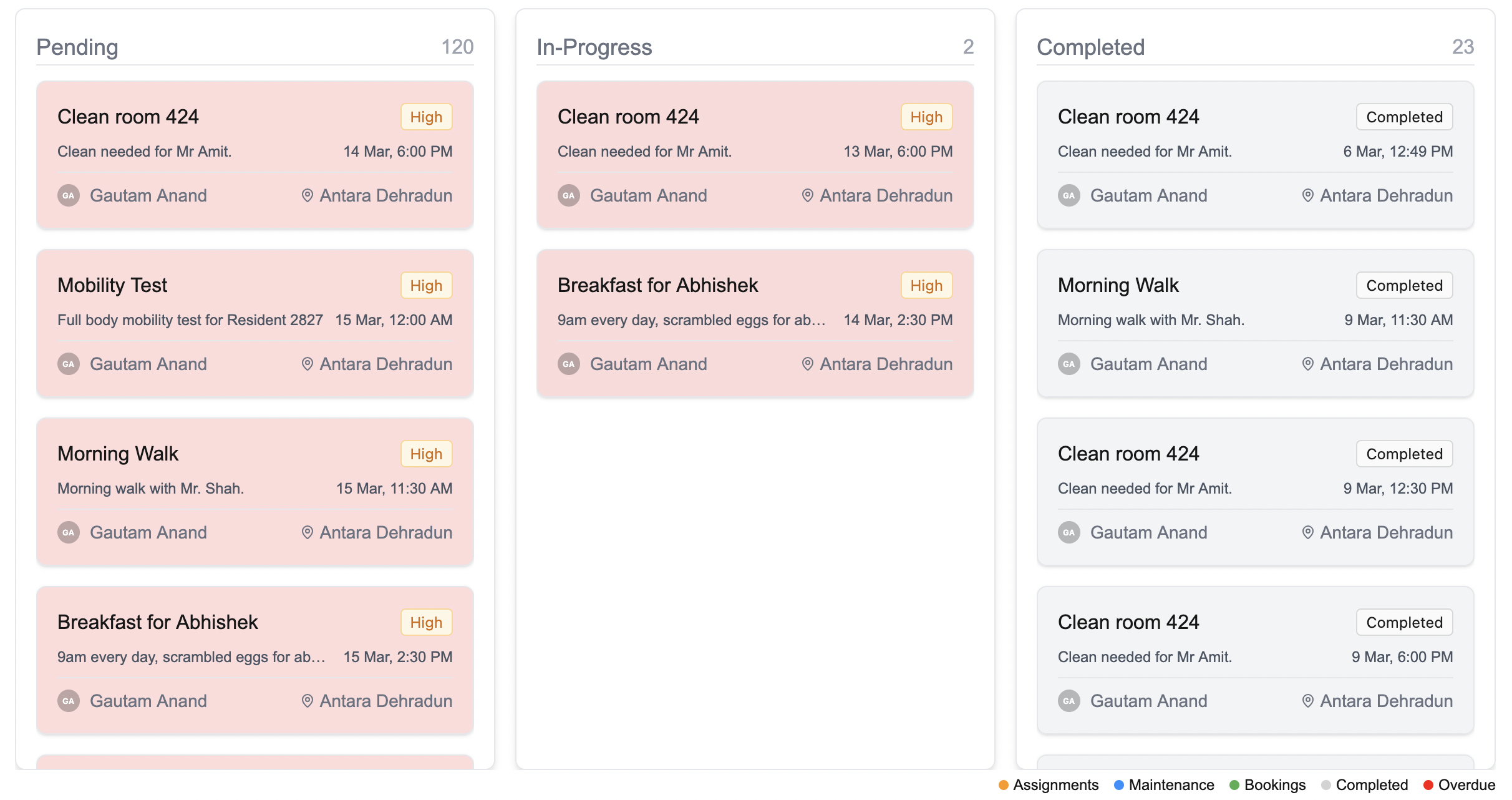
The Task Board is your drag-and-drop workspace for managing tasks.It uses a simple Kanban-style layout to show where each task stands:
- ⏳ Pending — Things you haven’t started yet
- 🔧 In Progress — Tasks you’re currently working on
- ✅ Completed — Tasks you’ve finished
📦 What can I do in the Task Board?
Here’s everything you can do from this view:-
🔁 Drag & drop tasks between columns
Easily move tasks from Pending to In Progress, and then to Completed -
👆 Click any task card to view details or make edits
Quick edits = faster progress - ➕ Add a new task using the button in the top-right corner
-
📤 Export your tasks as a CSV or PDF
Perfect for sharing or reporting -
🔍 Filter or search for tasks
Narrow down by name, type, or priority — whatever you need
💡 Looking for something else?
Feel free to reach out to us at support@nirvala.in — we’re happy to help!