
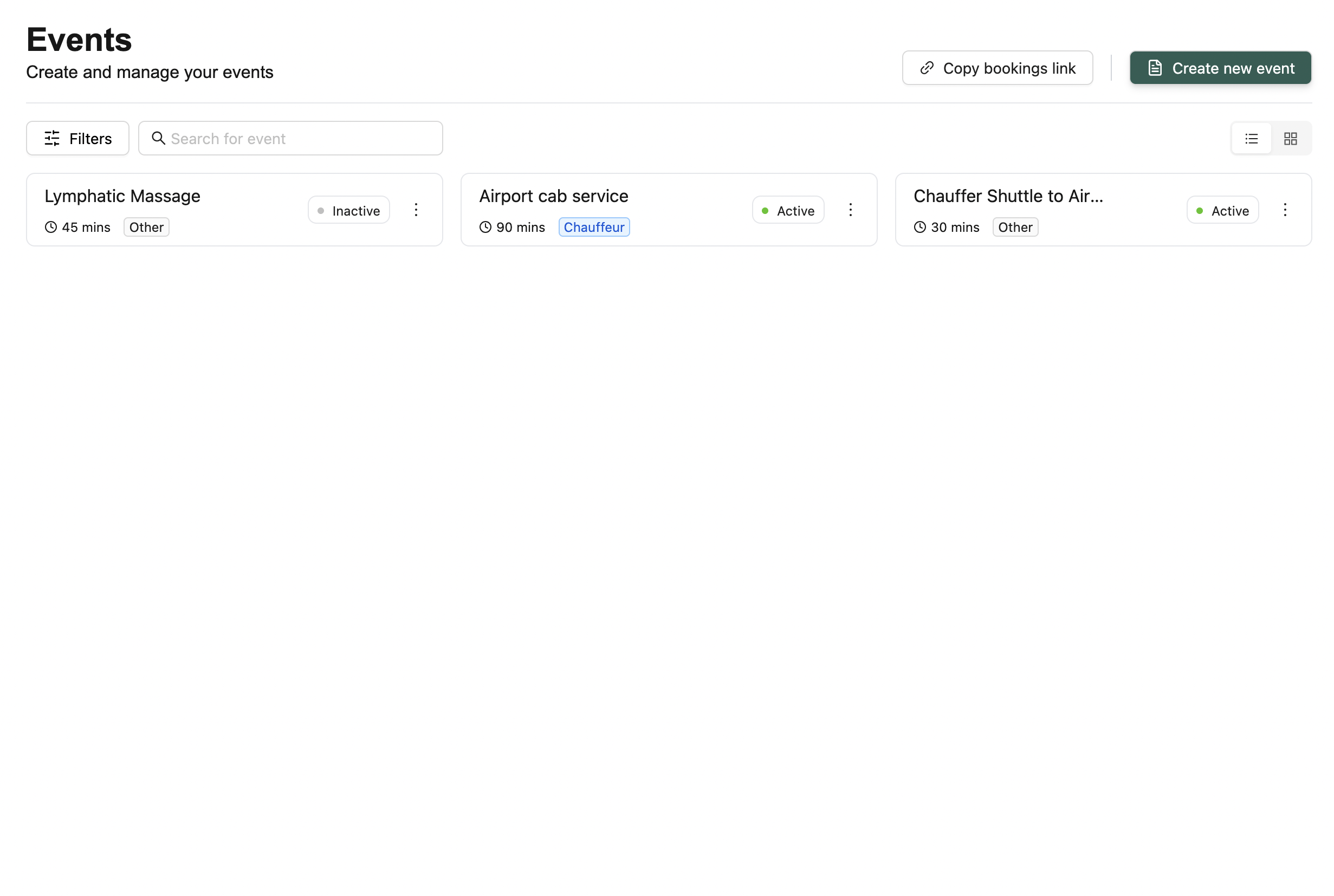
🔳 Event Tiles View
Each event is displayed as a tile with:- 🏷️ Event Name
- 📝 Description
- ⏱️ Duration
- 🧩 Category
- 🟢 Status (Active/Inactive)
Tile Actions
- 🔗 Copy Link — Opens the public booking page for the event
- ⋮ Menu — Options to activate/deactivate or delete the event
🔍 Top Bar Actions
- Filter events by Facility, Duration, Status, or Category
- Search events by name
- 🔗 Copy Bookings Link — Takes you to the unified resident-facing bookings page
- ➕ Create New Event — Opens a modal to add a new event
💡 You can switch between small and large tile views.💡 Looking for something else?
Feel free to reach out to us at support@nirvala.in — we’re happy to help!