
Pending Transactions Tab
View and manage transactions that are awaiting approval.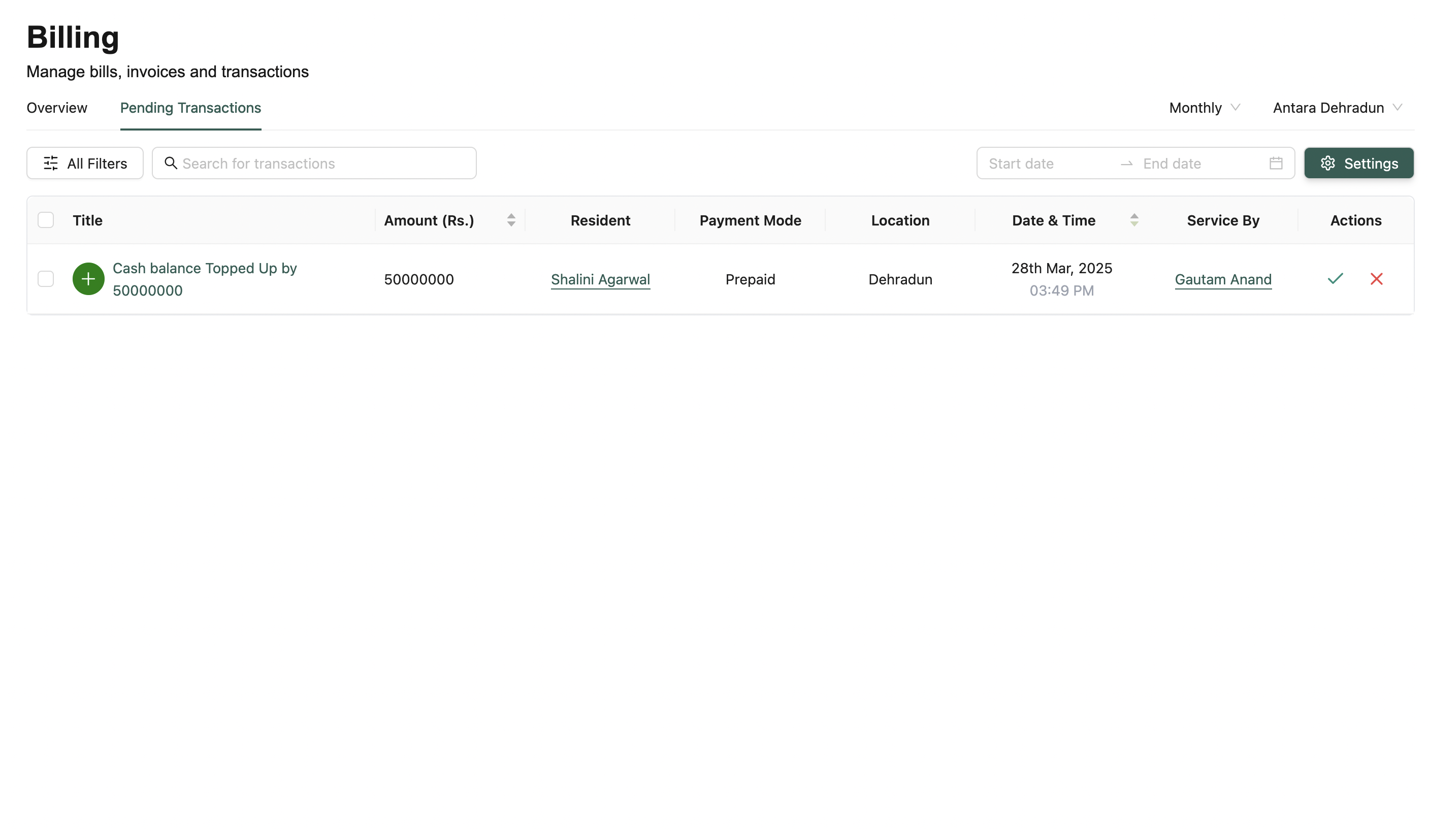
🔍 Filters & Search
Same filters as the Overview Tab — includes date ranges, residents, and staff filters.Pending transactions are sorted by most recent.
⚙️ Wallet Settings (Settings Button)
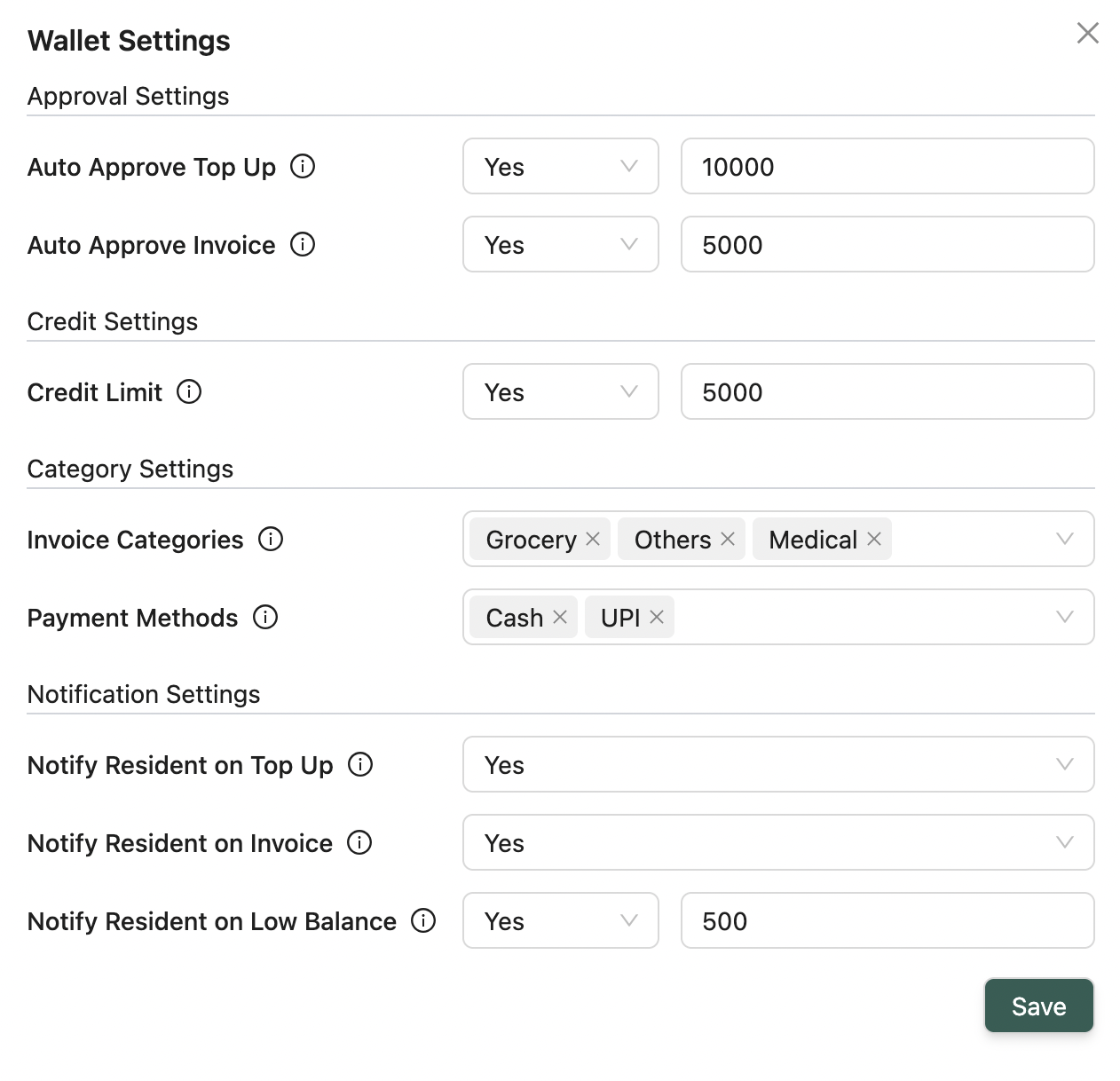
- Auto-approval Settings — Define max limits for top-ups and invoices
- Post-paid Settings — Set allowed negative balance limits
- Category Settings — Restrict allowed invoice categories and payment methods
- Notification Settings — Set alerts for top-ups, invoices, low balances
📋 Pending Transactions Table
Columns:- Title, Amount (₹), Resident
- Date & Time
- Status (Pending)
- Service By
- Actions: Approve / Deny
✅ Bulk approve or reject actions available
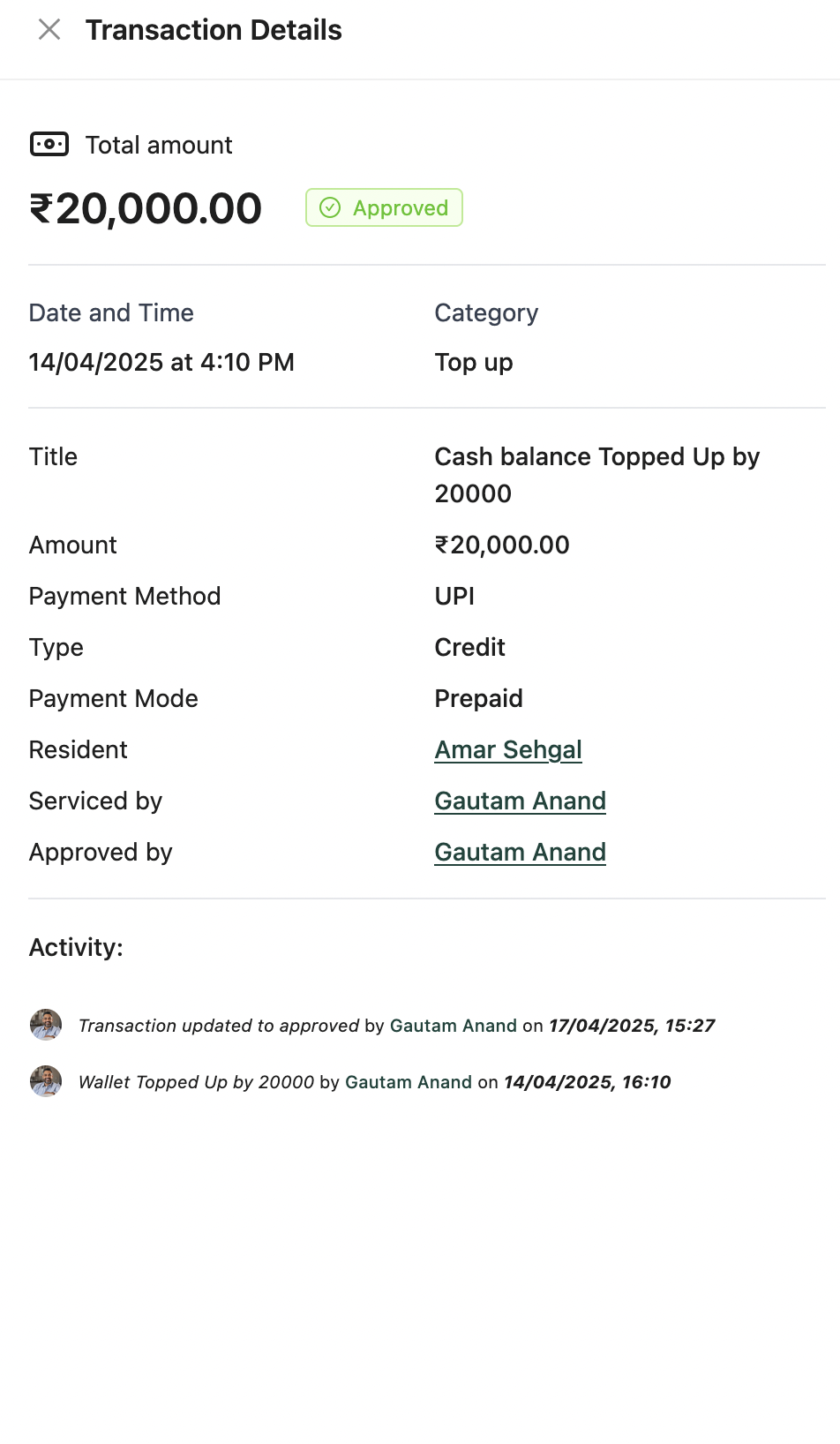
📌 Each row links to a Details Modal showing full info & activity logs
💡 Looking for something else?
Feel free to reach out to us at support@nirvala.in — we’re happy to help!