> ## Documentation Index
> Fetch the complete documentation index at: https://docs.nirvala.in/llms.txt
> Use this file to discover all available pages before exploring further.
# ⏳ Billing: Pending Transactions
## Pending Transactions Tab
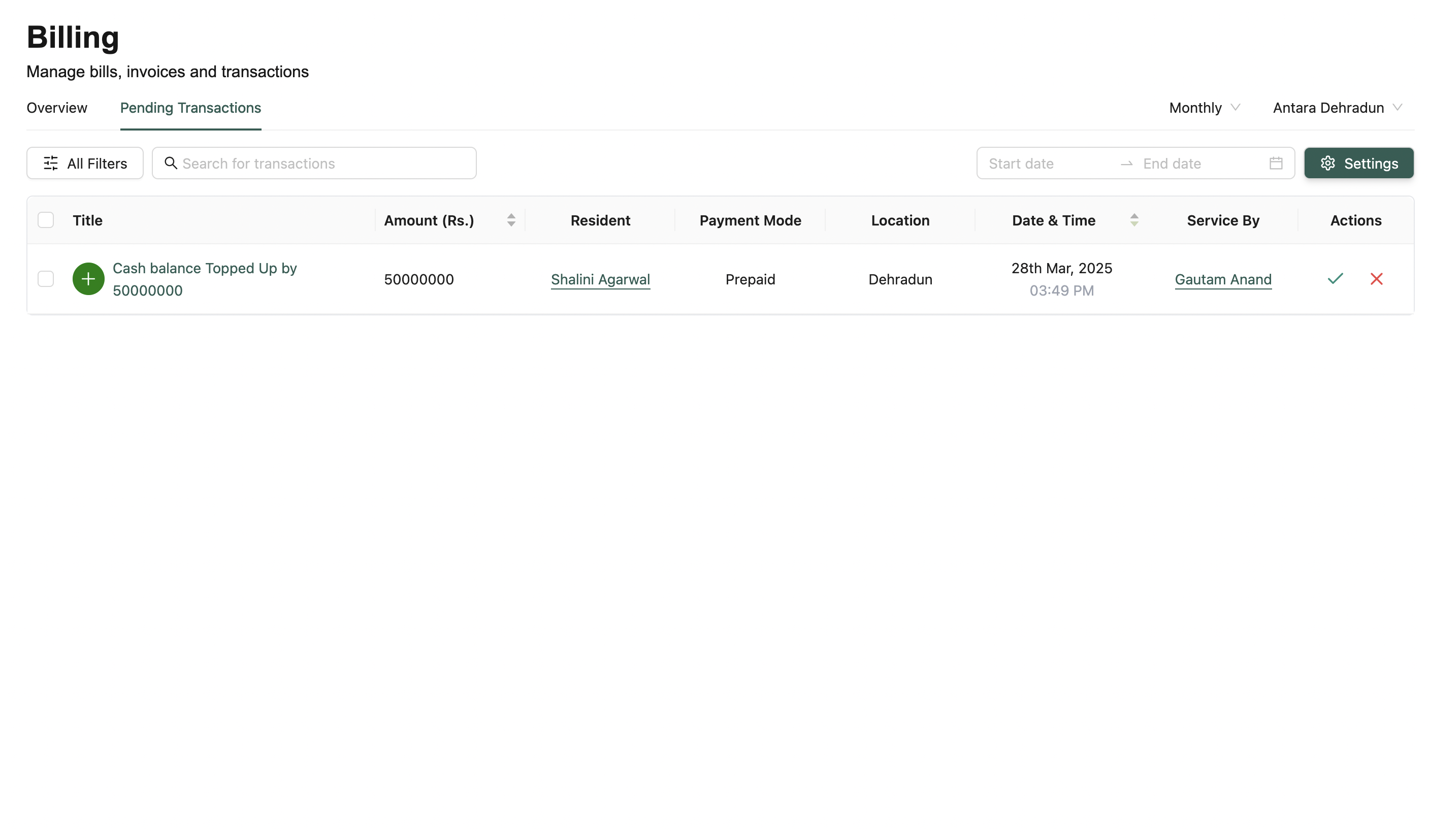
View and manage transactions that are awaiting approval.
 ***
### 🔍 Filters & Search
Same filters as the Overview Tab — includes date ranges, residents, and staff filters.\
Pending transactions are sorted by most recent.
***
### ⚙️ Wallet Settings (Settings Button)
***
### 🔍 Filters & Search
Same filters as the Overview Tab — includes date ranges, residents, and staff filters.\
Pending transactions are sorted by most recent.
***
### ⚙️ Wallet Settings (Settings Button)
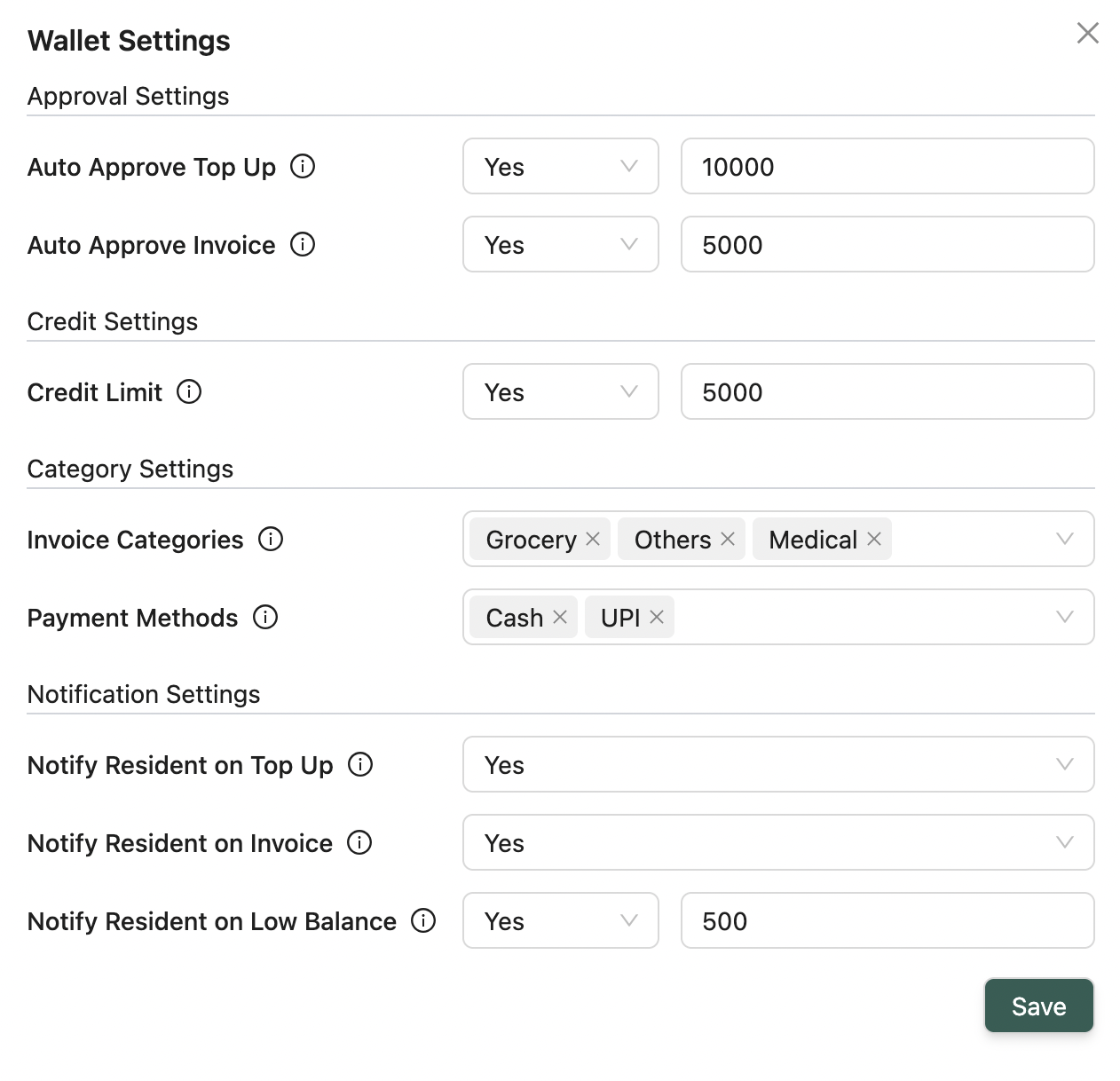 Configure financial rules at the **facility** level:
* **Auto-approval Settings** — Define max limits for top-ups and invoices
* **Post-paid Settings** — Set allowed negative balance limits
* **Category Settings** — Restrict allowed invoice categories and payment methods
* **Notification Settings** — Set alerts for top-ups, invoices, low balances
***
### 📋 Pending Transactions Table
Columns:
* Title, Amount (₹), Resident
* Date & Time
* Status (Pending)
* Service By
* Actions: Approve / Deny
> ✅ Bulk approve or reject actions available\
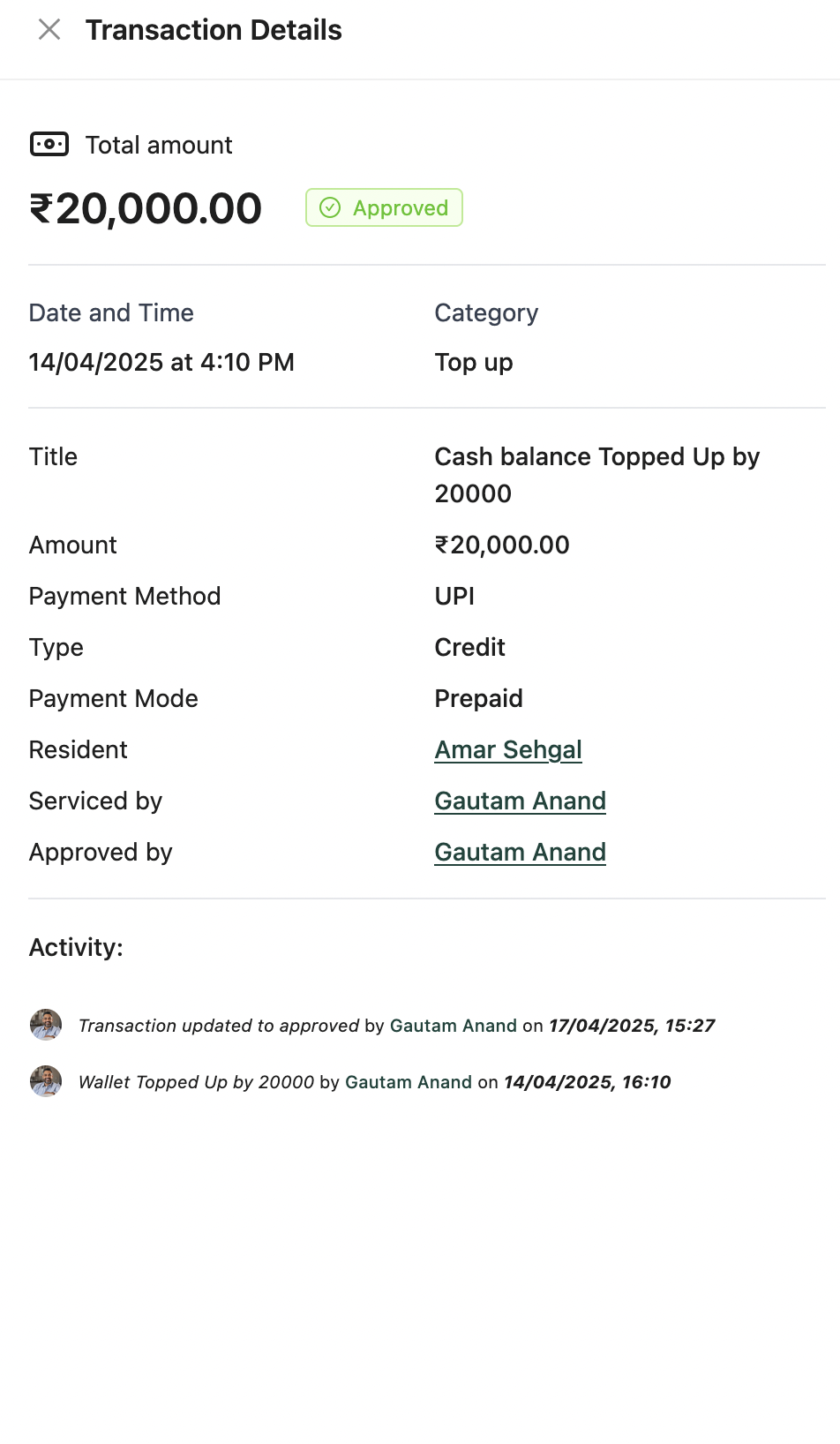
> 📌 Each row links to a **Details Modal** showing full info & activity logs
>
>
Configure financial rules at the **facility** level:
* **Auto-approval Settings** — Define max limits for top-ups and invoices
* **Post-paid Settings** — Set allowed negative balance limits
* **Category Settings** — Restrict allowed invoice categories and payment methods
* **Notification Settings** — Set alerts for top-ups, invoices, low balances
***
### 📋 Pending Transactions Table
Columns:
* Title, Amount (₹), Resident
* Date & Time
* Status (Pending)
* Service By
* Actions: Approve / Deny
> ✅ Bulk approve or reject actions available\
> 📌 Each row links to a **Details Modal** showing full info & activity logs
>
>  ***
💡 **Looking for something else?**\
Feel free to reach out to us at [support@nirvala.in](mailto:support@nirvala.in) — we’re happy to help!
***
💡 **Looking for something else?**\
Feel free to reach out to us at [support@nirvala.in](mailto:support@nirvala.in) — we’re happy to help!