> ## Documentation Index
> Fetch the complete documentation index at: https://docs.nirvala.in/llms.txt
> Use this file to discover all available pages before exploring further.
# 📊 Billing: Overview
## Overview Tab
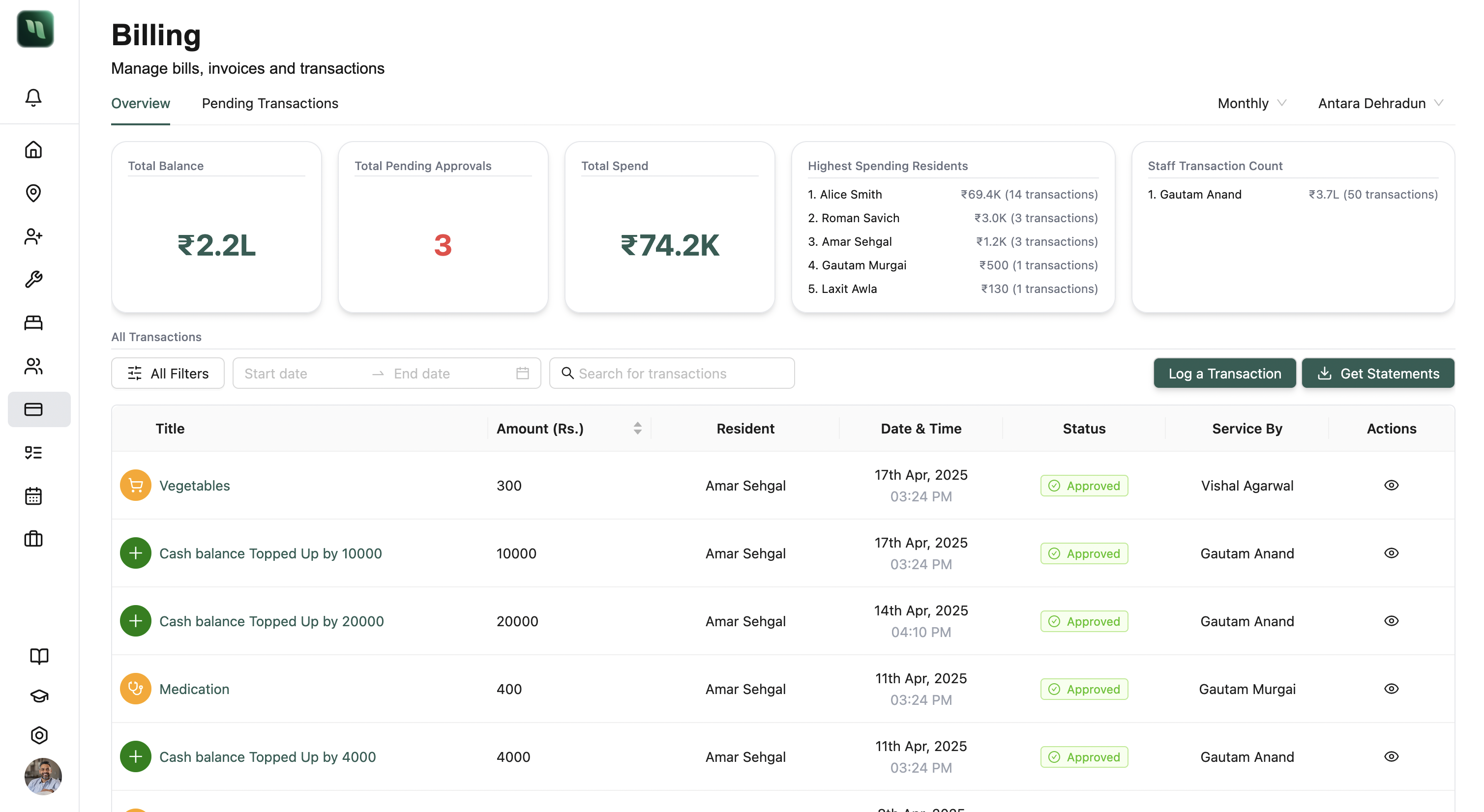
Get a complete snapshot of resident billing activity across your facilities.
 ***
### 🧾 Summary Tiles
***
### 🧾 Summary Tiles
 * **Total Balance** – Sum of all residents’ petty cash wallets
* **Pending Approvals** – Number of top-ups/invoices needing review
* **Total Spend** – All resident expenditure in the selected time period
* **Highest Spending Residents** – Top spenders + their transaction count
* **Staff Transaction Count** – Staff with the most transactions logged
> 💡 Time filters: Weekly / Monthly / Yearly\
> 💼 Facility selector allows switching between facilities
***
### 🪪 Transaction Table
A searchable and filterable ledger of all transactions.
#### Filters:
* Type, Category, Method, Status
* Service By, Resident
* Date Range
* Amount Range
#### Actions:
* 🔍 Search transactions
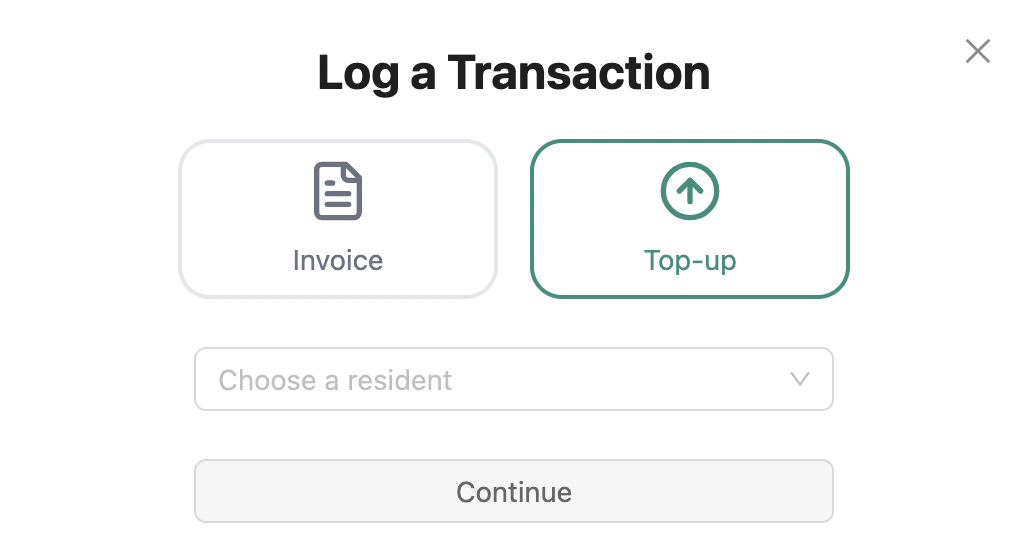
* ➕ **Log New Transaction**
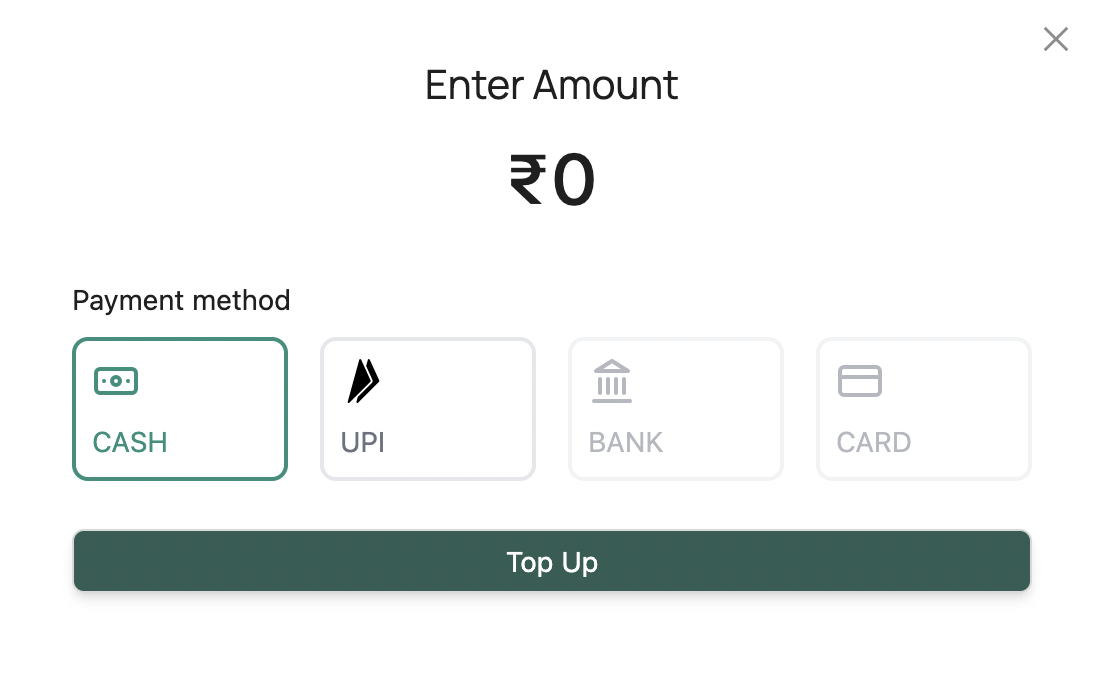
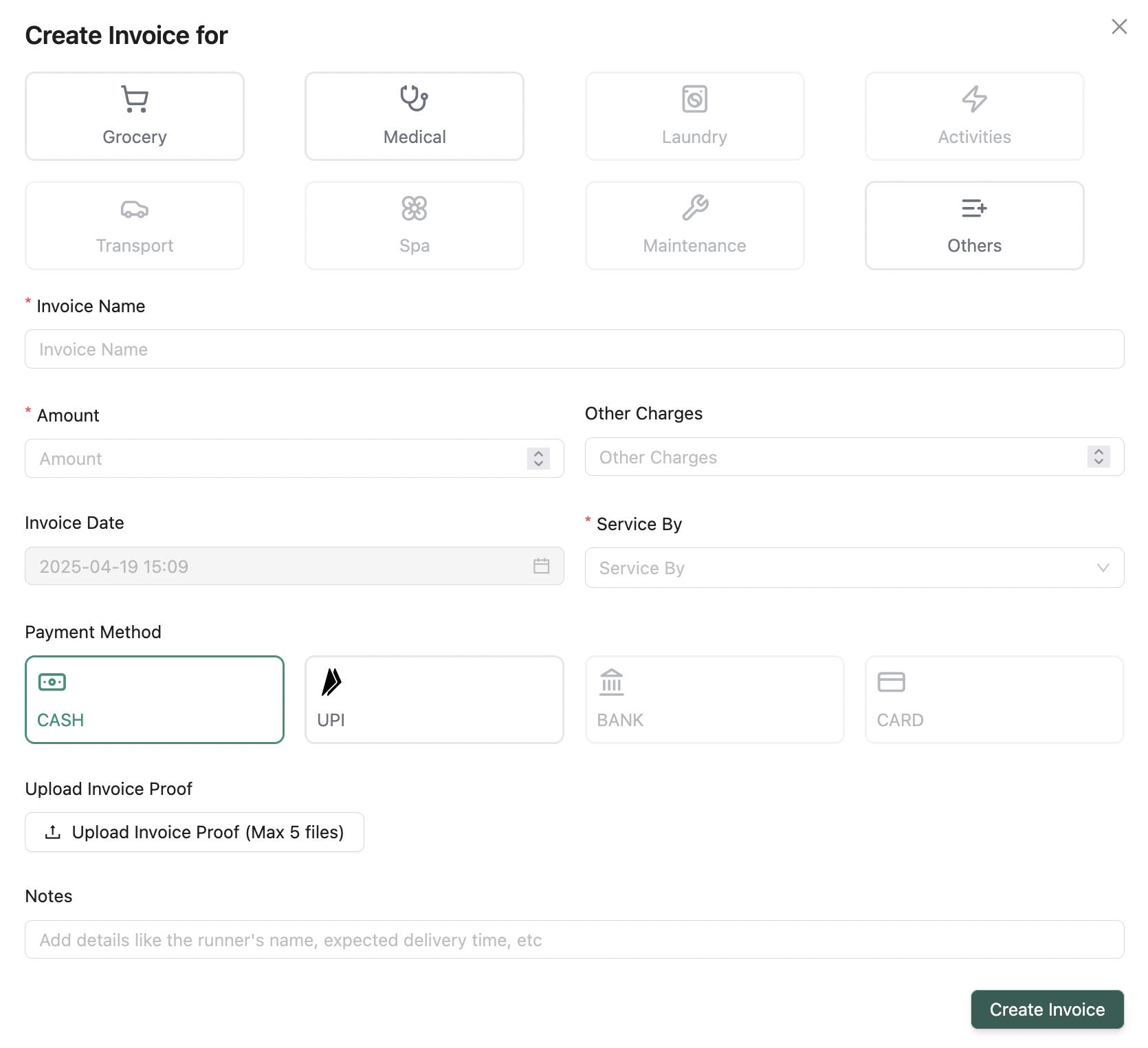
* Choose Invoice or Top-up
* Required: Resident, Category, Amount, Payment Method
* Optional: Notes, Proof\\
* **Total Balance** – Sum of all residents’ petty cash wallets
* **Pending Approvals** – Number of top-ups/invoices needing review
* **Total Spend** – All resident expenditure in the selected time period
* **Highest Spending Residents** – Top spenders + their transaction count
* **Staff Transaction Count** – Staff with the most transactions logged
> 💡 Time filters: Weekly / Monthly / Yearly\
> 💼 Facility selector allows switching between facilities
***
### 🪪 Transaction Table
A searchable and filterable ledger of all transactions.
#### Filters:
* Type, Category, Method, Status
* Service By, Resident
* Date Range
* Amount Range
#### Actions:
* 🔍 Search transactions
* ➕ **Log New Transaction**
* Choose Invoice or Top-up
* Required: Resident, Category, Amount, Payment Method
* Optional: Notes, Proof\\
 * 📥 **Get Statement** — Export data as CSV or PDF
* 🧾 **Transaction Details Modal** – See all info and activity logs for each transaction
***
💡 **Looking for something else?**\
Feel free to reach out to us at [support@nirvala.in](mailto:support@nirvala.in) — we’re happy to help!
* 📥 **Get Statement** — Export data as CSV or PDF
* 🧾 **Transaction Details Modal** – See all info and activity logs for each transaction
***
💡 **Looking for something else?**\
Feel free to reach out to us at [support@nirvala.in](mailto:support@nirvala.in) — we’re happy to help!